Deprecated: Return type of OmiseObject::offsetExists($key) should either be compatible with ArrayAccess::offsetExists(mixed $offset): bool, or the #[\ReturnTypeWillChange] attribute should be used to temporarily suppress the notice in /home/padveewp/domains/padvee101.com/public_html/basicwoo/wp-content/plugins/omise/includes/libraries/omise-php/lib/omise/res/obj/OmiseObject.php on line 59

Deprecated: Return type of OmiseObject::offsetGet($key) should either be compatible with ArrayAccess::offsetGet(mixed $offset): mixed, or the #[\ReturnTypeWillChange] attribute should be used to temporarily suppress the notice in /home/padveewp/domains/padvee101.com/public_html/basicwoo/wp-content/plugins/omise/includes/libraries/omise-php/lib/omise/res/obj/OmiseObject.php on line 69

Deprecated: Return type of OmiseObject::offsetSet($key, $value) should either be compatible with ArrayAccess::offsetSet(mixed $offset, mixed $value): void, or the #[\ReturnTypeWillChange] attribute should be used to temporarily suppress the notice in /home/padveewp/domains/padvee101.com/public_html/basicwoo/wp-content/plugins/omise/includes/libraries/omise-php/lib/omise/res/obj/OmiseObject.php on line 54

Deprecated: Return type of OmiseObject::offsetUnset($key) should either be compatible with ArrayAccess::offsetUnset(mixed $offset): void, or the #[\ReturnTypeWillChange] attribute should be used to temporarily suppress the notice in /home/padveewp/domains/padvee101.com/public_html/basicwoo/wp-content/plugins/omise/includes/libraries/omise-php/lib/omise/res/obj/OmiseObject.php on line 64

Deprecated: Return type of OmiseObject::current() should either be compatible with Iterator::current(): mixed, or the #[\ReturnTypeWillChange] attribute should be used to temporarily suppress the notice in /home/padveewp/domains/padvee101.com/public_html/basicwoo/wp-content/plugins/omise/includes/libraries/omise-php/lib/omise/res/obj/OmiseObject.php on line 80

Deprecated: Return type of OmiseObject::next() should either be compatible with Iterator::next(): void, or the #[\ReturnTypeWillChange] attribute should be used to temporarily suppress the notice in /home/padveewp/domains/padvee101.com/public_html/basicwoo/wp-content/plugins/omise/includes/libraries/omise-php/lib/omise/res/obj/OmiseObject.php on line 90

Deprecated: Return type of OmiseObject::key() should either be compatible with Iterator::key(): mixed, or the #[\ReturnTypeWillChange] attribute should be used to temporarily suppress the notice in /home/padveewp/domains/padvee101.com/public_html/basicwoo/wp-content/plugins/omise/includes/libraries/omise-php/lib/omise/res/obj/OmiseObject.php on line 85

Deprecated: Return type of OmiseObject::valid() should either be compatible with Iterator::valid(): bool, or the #[\ReturnTypeWillChange] attribute should be used to temporarily suppress the notice in /home/padveewp/domains/padvee101.com/public_html/basicwoo/wp-content/plugins/omise/includes/libraries/omise-php/lib/omise/res/obj/OmiseObject.php on line 95

Deprecated: Return type of OmiseObject::rewind() should either be compatible with Iterator::rewind(): void, or the #[\ReturnTypeWillChange] attribute should be used to temporarily suppress the notice in /home/padveewp/domains/padvee101.com/public_html/basicwoo/wp-content/plugins/omise/includes/libraries/omise-php/lib/omise/res/obj/OmiseObject.php on line 75

Deprecated: Return type of OmiseObject::count() should either be compatible with Countable::count(): int, or the #[\ReturnTypeWillChange] attribute should be used to temporarily suppress the notice in /home/padveewp/domains/padvee101.com/public_html/basicwoo/wp-content/plugins/omise/includes/libraries/omise-php/lib/omise/res/obj/OmiseObject.php on line 101

Deprecated: Constant FILTER_SANITIZE_STRING is deprecated in /home/padveewp/domains/padvee101.com/public_html/basicwoo/wp-content/plugins/wordpress-seo/src/conditionals/third-party/elementor-edit-conditional.php on line 22

Deprecated: Constant FILTER_SANITIZE_STRING is deprecated in /home/padveewp/domains/padvee101.com/public_html/basicwoo/wp-content/plugins/wordpress-seo/src/conditionals/third-party/elementor-edit-conditional.php on line 28

Warning: Cannot modify header information - headers already sent by (output started at /home/padveewp/domains/padvee101.com/public_html/basicwoo/wp-content/plugins/wordpress-seo/src/conditionals/third-party/elementor-edit-conditional.php:22) in /home/padveewp/domains/padvee101.com/public_html/basicwoo/wp-includes/feed-rss2.php on line 8
Uncategorized Archives - Basic Woocommerce My WordPress Blog Sun, 19 Nov 2017 16:28:22 +0000 th hourly 1 https://wordpress.org/?v=6.0.16 ติดตั้ง WordPress ลงบนโฮสจริง ผ่าน DirectAdmin, cPanel และ Plesk https://basicwoo.padvee101.com/%e0%b8%95%e0%b8%b4%e0%b8%94%e0%b8%95%e0%b8%b1%e0%b9%89%e0%b8%87-wordpress/ https://basicwoo.padvee101.com/%e0%b8%95%e0%b8%b4%e0%b8%94%e0%b8%95%e0%b8%b1%e0%b9%89%e0%b8%87-wordpress/#respond Sun, 12 Nov 2017 14:05:13 +0000 http://basicwoo.padvee101.com/?p=383 รวมวิธี ติดตั้ง WordPress สำหรับผู้เริ่มต้น เพราะโฮสติ้ [...]

The post ติดตั้ง WordPress ลงบนโฮสจริง ผ่าน DirectAdmin, cPanel และ Plesk appeared first on Basic Woocommerce.

]]>
รวมวิธี ติดตั้ง WordPress สำหรับผู้เริ่มต้น เพราะโฮสติ้งแต่ละเจ้านั้น มีระบบ web control panel ไม่เหมือนกัน บางโฮสก็ใช้ DirectAdmin (โฮสไทยส่วนใหญ่ใช้ตัวนี้กัน) บางโฮสก็ใช้ cPanel หรือบางที่ก็ใช้ Plesk ซึ่งเหมาะกับ window server

คำแนะนำสำหรับผู้เริ่มต้น หากอยากทำเว็บให้เป็นเร็ว ให้เราลงทุนเช่าโฮสติ้ง ตั้งแต่ตอนเริ่มต้น ทำทุกอย่างให้มันออนไลน์ไปเลย เราจะได้สามารถเข้าไปทำเว็บจากคอมเครื่องไหนก็ได้ ไม่ต้องลงโปรแกรมจำลอง Server หรือต้องมานั่งสร้าง Database เองให้เสียเวลา เหมือนในสมัยก่อนกันแล้ว เข้าไปอ่านสิ่งที่มือใหม่ควรรู้ได้ที่บทความนี้เลยครับ เริ่มต้นทำเว็บด้วย WordPress อะไรคือ 6 สิ่งที่มือใหม่จำเป็นต้องรู้ ?
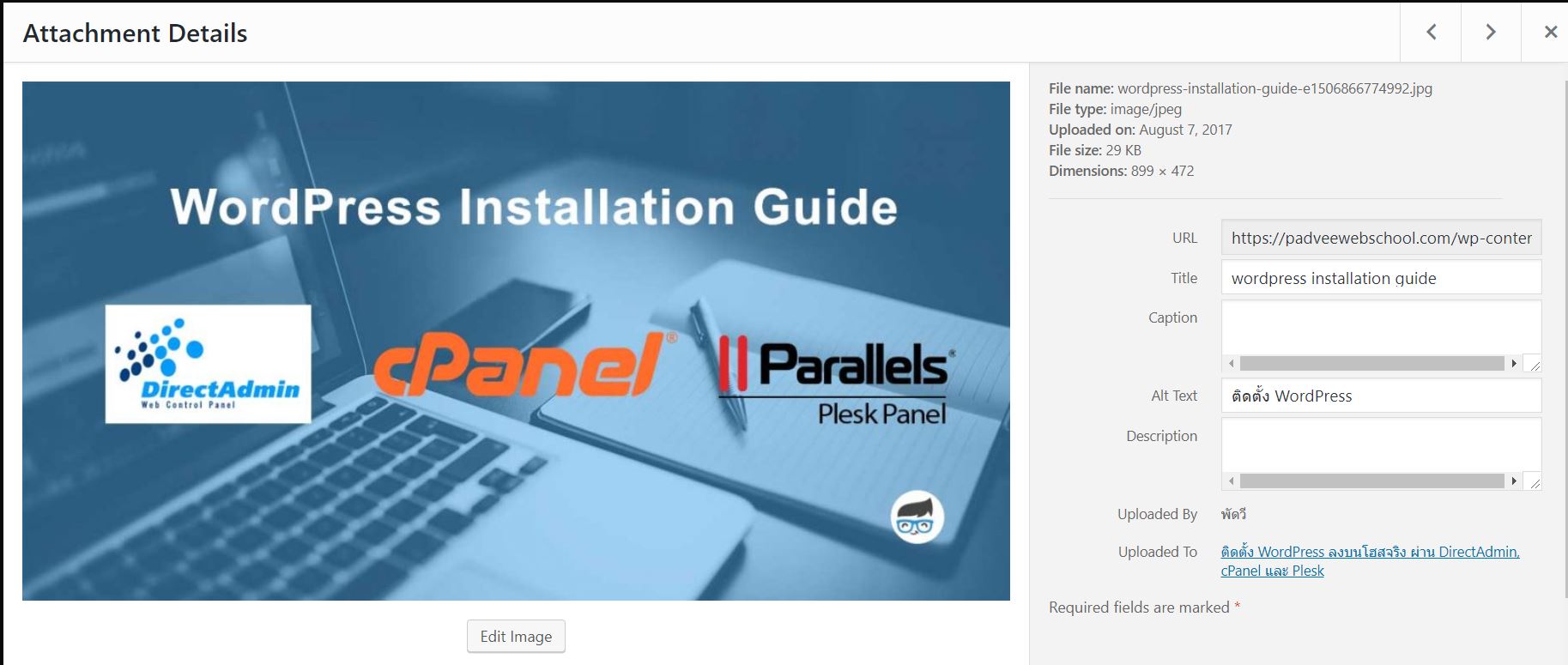
ติดตั้ง WordPress

แต่ละ control panel ของแต่ละโฮสที่เราเลือกใช้บริการอยู่นั้น มีขั้นตอนการ ติดตั้ง WordPress อย่างไรบ้าง เหมือนกันรึป่าวเอ่ย เรามาดูกันเลยครับ

รายชื่อโฮสติ้งที่แนะนำ

At vero eos et accusamus et iusto odio dignissimos ducimus qui blanditiis praesentium voluptatum deleniti atque corrupti quos dolores et quas molestias excepturi sint occaecati cupiditate non provident, similique sunt in culpa qui officia deserunt mollitia animi, id est laborum et dolorum fuga. Et harum quidem rerum facilis est et expedita distinctio. Nam

ติดตั้ง WordPress บน cPanel

Nam libero tempore, cum soluta nobis est eligendi optio cumque nihil impedit quo minus id quod maxime placeat facere possimus, omnis voluptas assumenda est, omnis dolor repellendus. Temporibus autem quibusdam et aut officiis debitis aut rerum necessitatibus saepe eveniet ut et voluptates

สรุป

ด้วยความอยากรู้ว่าแต่ละ web control panel มีวิธีการติดตั้ง WordPress อย่างไรกันบ้าง คำตอบที่ได้รับ คือเหมือนกัน และยังง่ายเหมือนกันเลย แต่ในเรื่องประสิทธิภาพ ว่า control panel ระบบไหนดีกว่ากัน ลองเข้าไปดูบทความเปรียบเทียบที่บทความนี้ต่อได้ครับ cPanel vs Plesk vs DirectAdmin Comparison


รายชื่อโฮสติ้งที่สามารถทำตามขั้นตอนจากบทความนี้ได้

Goddady
Host-gator
1. เข้าสู่ระบบของโฮสแต่ละเจ้า (บทความนี้ใช้ GoDaddy เป็นตัวอย่าง)

godaddy hosting

2. เลือก web hosting ที่เราต้องการใช้ในการลง WordPress คลิก จัดการ

ใช้งาน godaddy

3. เมื่อเข้าสู่หน้า cPanel ให้เลื่อนมองหาสัญลักษณ์ WordPress เพื่อทำการติดตั้ง WordPress กันนั้นเอง

ติดตั้ง wordpress บน cpanel4. เมื่อความสู่หน้า Application ช่วงลง WordPress ให้คลิก ติดตั้งอันนี้

ลง WordPress

5. ใส่ข้อมูลเริ่มต้นในการติดตั้ง WordPress บนโดเมนที่ต้องการ จากนั้นก็คลิก ติดตั้ง ได้เลย หลักการก็เหมือนกับวิธีการลงบน Softaculous Auto Installer นั้นเอง

install wordpress on cPanel info data

6. การติดตั้ง WordPress บน cPanel เป็นอันเสร็จเรียบร้อยครับ

การ ติด ตั้ง wordpress สําหรับมือใหม่
พัดวี WebSchool – สอนทำเว็บไซต์ WordPress สอนทำ seo และสอนการทำตลาดออนไลน์ สอนแบบตัวต่อตัว บริการสอนถึงบ้าน ผู้เรียนเลือกวันเรียนเองได้

ติดตั้งWordPress บน Plesk
plesk control panel

1. เข้าสู่ระบบของโฮสแต่ละเจ้า (บทความนี้ใช้ GoDaddy เป็นตัวอย่าง)

godaddy hosting
2. เลือก web hosting ที่เราต้องการใช้ในการลง WordPress ในที่นี้ให้เลือก Plesk

godaddy and plesk

3. เมื่อเข้าระบบหลังบ้านของ Plesk ให้มองหาคำว่าว่า แอพพลิเคชั่น แล้วคลิกเข้าไปเพื่อติดตั้ง WordPress ได้เลย

install plesk

4. ให้คลิก ติดตั้งแบบกำหนดเอง

install plesk 02

5. ใส่ข้อมูลเริ่มต้นในการติดตั้ง WordPress บนโดเมนที่ต้องการ จากนั้นก็คลิก ติดตั้ง ได้เลย


6. การติดตั้ง WordPress บน Plesk เป็นอันเสร็จเรียบร้อยครับ

ติดตั้งwordpress บน plesk

สรุป
ด้วยความอยากรู้ว่าแต่ละ web control panel มีวิธีการติดตั้ง WordPress อย่างไรกันบ้าง คำตอบที่ได้รับ คือเหมือนกัน และยังง่ายเหมือนกันเลย แต่ในเรื่องประสิทธิภาพ ว่า control panel ระบบไหนดีกว่ากัน ลองเข้าไปดูบทความเปรียบเทียบที่บทความนี้ต่อได้ครับ cPanel vs Plesk vs DirectAdmin Comparison
…………………

ติดตามอ่านสาระน่ารู้ การทำเว็บไซต์สำหรับมือใหม่ ด้วย WordPress พร้อมกับให้ความรู้เรื่องการตลาดออนไลน์ และการปรับแต่ง SEO ให้ติดอันดับ google ได้ที่ padveewebschool.com

ที่นี่เราสอนทำเว็บไซต์ถึงบ้าน.

The post ติดตั้ง WordPress ลงบนโฮสจริง ผ่าน DirectAdmin, cPanel และ Plesk appeared first on Basic Woocommerce.

]]>
https://basicwoo.padvee101.com/%e0%b8%95%e0%b8%b4%e0%b8%94%e0%b8%95%e0%b8%b1%e0%b9%89%e0%b8%87-wordpress/feed/ 0
Auto Draft https://basicwoo.padvee101.com/auto-draft/ https://basicwoo.padvee101.com/auto-draft/#respond Thu, 24 Aug 2017 06:52:49 +0000 http://basicwoo.padvee101.com/?p=353 ]

The post Auto Draft appeared first on Basic Woocommerce.

]]>
”Click ]

The post Auto Draft appeared first on Basic Woocommerce.

]]>
https://basicwoo.padvee101.com/auto-draft/feed/ 0
Welcome to Flatsome https://basicwoo.padvee101.com/welcome-to-flatsome/ https://basicwoo.padvee101.com/welcome-to-flatsome/#respond Thu, 19 Nov 2015 10:26:13 +0000 http://flatsome.dev/?p=1 Welcome to WordPress. This is your first post. Edit or [...]

The post Welcome to Flatsome appeared first on Basic Woocommerce.

]]>
Welcome to WordPress. This is your first post. Edit or delete it, then start blogging!

Lorem ipsum dolor sit amet, consectetuer adipiscing elit, sed diam nonummy nibh euismod tincidunt ut laoreet dolore magna aliquam erat volutpat.
Lorem ipsum dolor sit amet, consectetuer adipiscing elit, sed diam nonummy nibh euismod tincidunt ut laoreet dolore magna aliquam erat volutpat.
350 ฿ – 450 ฿
1,200 ฿

Lorem ipsum dolor sit amet, consectetuer adipiscing elit, sed diam nonummy nibh euismod tincidunt ut laoreet dolore magna aliquam erat volutpat.
Lorem ipsum dolor sit amet, consectetuer adipiscing elit, sed diam nonummy nibh euismod tincidunt ut laoreet dolore magna aliquam erat volutpat.Lorem ipsum dolor sit amet, consectetuer adipiscing elit, sed diam nonummy nibh euismod tincidunt ut laoreet dolore magna aliquam erat volutpat.
The post Welcome to Flatsome appeared first on Basic Woocommerce.

]]>
https://basicwoo.padvee101.com/welcome-to-flatsome/feed/ 0
Just another post with A Gallery https://basicwoo.padvee101.com/velkommen-til-bloggen-min/ https://basicwoo.padvee101.com/velkommen-til-bloggen-min/#respond Tue, 13 Oct 2015 21:13:41 +0000 http://localhost:8888/flatsome-next/?p=5 Lorem ipsum dolor sit amet, consectetur adipiscing elit [...]

The post Just another post with A Gallery appeared first on Basic Woocommerce.

]]>
Lorem ipsum dolor sit amet, consectetur adipiscing elit. In sed vulputate massa. Fusce ante magna, iaculis ut purus ut, facilisis ultrices nibh. Quisque commodo nunc eget tortor dapibus, et tristique magna convallis. Phasellus egestas nunc eu venenatis vehicula. Phasellus et magna nulla. Proin ante nunc, mollis a lectus ac, volutpat placerat ante. Vestibulum sit amet magna sit amet nunc faucibus mollis. Aliquam vel lacinia purus, id tristique ipsum. Quisque vitae nibh ut libero vulputate ornare quis in risus. Nam sodales justo orci, a bibendum risus tincidunt id. Etiam hendrerit, metus in volutpat tempus, neque libero viverra lorem, ac tristique orci augue eu metus. Aenean elementum nisi vitae justo adipiscing gravida sit amet et risus. Suspendisse dapibus elementum quam, vel semper mi tempus ac.

The post Just another post with A Gallery appeared first on Basic Woocommerce.

]]>
https://basicwoo.padvee101.com/velkommen-til-bloggen-min/feed/ 0
A Simple Blog Post https://basicwoo.padvee101.com/a-simple-blog-post/ https://basicwoo.padvee101.com/a-simple-blog-post/#respond Tue, 13 Oct 2015 19:28:03 +0000 http://localhost:8888/flatsome-next/?p=1 Lorem ipsum dolor sit amet, consectetuer adipiscing eli [...]

The post A Simple Blog Post appeared first on Basic Woocommerce.

]]>
Lorem ipsum dolor sit amet, consectetuer adipiscing elit, sed diam nonummy nibh euismod tincidunt ut laoreet dolore magna aliquam erat volutpat.Typi non habent claritatem insitam; est usus legentis in iis qui facit eorum claritatem. Investigationes demonstraverunt lectores legere me lius quod ii legunt saepius. Claritas est etiam processus dynamicus

Typi non habent claritatem insitam; est usus legentis in iis qui facit eorum claritatem. Investigationes demonstraverunt lectores legere me lius quod ii legunt saepius. Claritas est etiam processus dynamicus

The post A Simple Blog Post appeared first on Basic Woocommerce.

]]>
https://basicwoo.padvee101.com/a-simple-blog-post/feed/ 0